Scheduling for moving companies
Replace fragile spreadsheets with one live operation
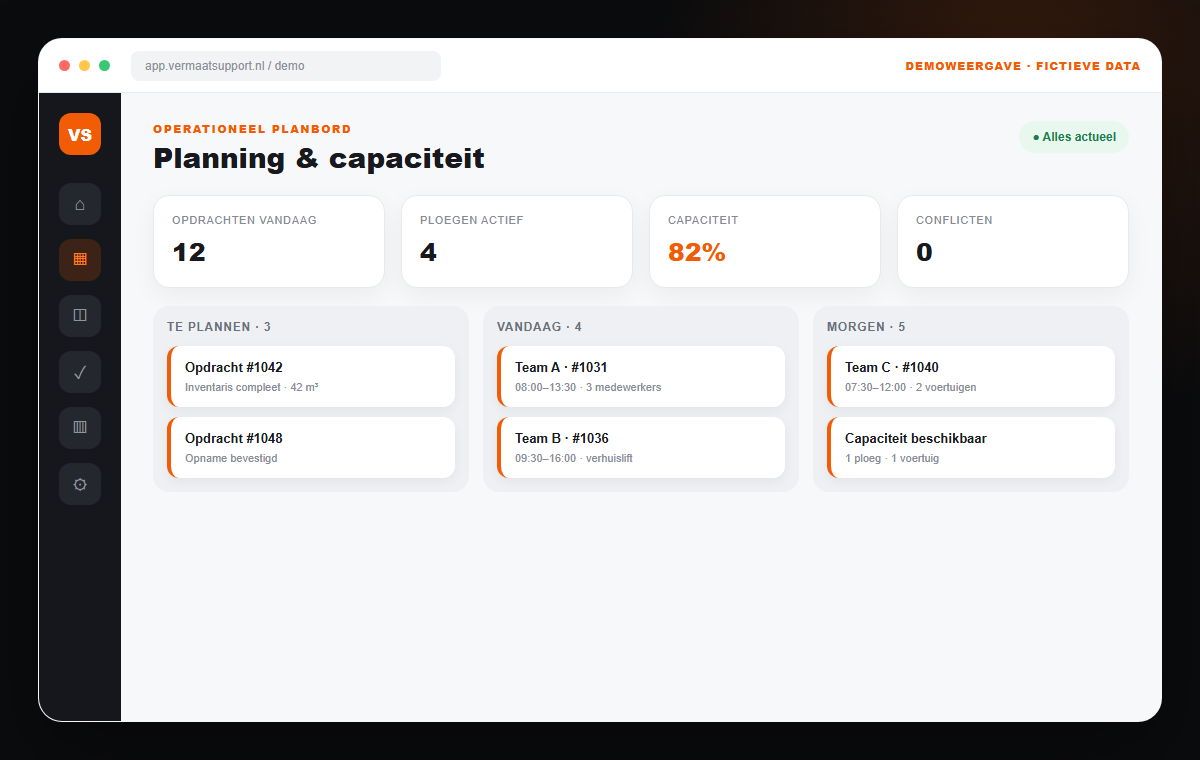
A moving schedule changes all day. A survey runs late, a crew member calls in sick or an extra job arrives. One operational planning board gives everyone the same current view of workload, capacity and job details.
The operational problem
The planner should not be the only integration
A spreadsheet can hold a list, but it does not understand the dependencies between customers, crews, vehicles, equipment and billable hours. Critical knowledge therefore remains in one planner's head.
01
Double bookings
A vehicle, crew or lift is assigned twice because capacity is not guarded centrally.
02
Competing versions
A printed schedule, a WhatsApp update and the spreadsheet all tell a different story.
03
Incomplete job details
Crews miss addresses, access notes or equipment because information is separate from the job.
04
Weak job costing
Planned and actual hours are hard to compare, which hides margin leakage.
The connected solution
A planning board that understands the whole job
Scheduling is not a separate calendar but the operational heart of the workflow. An accepted quote becomes a schedulable job; changes can flow through to the crew, customer portal, hours and invoice.
Daily capacity
See available crews, people, vehicles and equipment before making a commitment.
Drag-and-drop scheduling
Move jobs without retyping details or losing operational context.
Mobile crew brief
Employees see current job times, addresses, contacts and attention points.
Conflict alerts
Flag overlap, missing staffing and unrealistic capacity before the day starts.
Customer updates
Relevant changes can reach the customer without a chain of manual calls.
Plan versus actual
Compare scheduled capacity with recorded hours and expose deviations.
How the workflow changes
Information moves with the job
- 01
Quote accepted
Scope, addresses and estimates become available for scheduling.
- 02
Capacity assigned
The planner links a date, crew, vehicles and equipment.
- 03
Crew informed
The current job brief is available to the right employees on mobile.
- 04
Delivery reported
Hours, exceptions and extras return to the same job record.
Frequently asked questions
Practical answers before you decide
- Can planners and movers work in the system at the same time?
- Yes. Roles and permissions control access. Planners manage capacity and jobs, while crews see their current mobile brief and record delivery.
- Can existing spreadsheet schedules be migrated?
- We first determine which data is reliable and reusable. Active jobs, employees, vehicles and relevant master data can then be imported in a controlled way.
- Does scheduling work on phones and tablets?
- Yes. Operational screens are designed mobile-first so the team is not dependent on one office computer.
Where does your schedule break today?
Show us how you plan today. In a growth scan we identify the most fragile handover and a sensible first step.
Book a growth scanRelated workflows
Continue improving the operation
Quote software for moving companies
Create consistent moving quotes faster from survey data and let acceptance flow directly into scheduling, the customer portal and invoicing.
ExploreCustomer portal for moving companies
Give moving customers one secure place for acceptance, scheduling, documents, status and communication, connected to your operation.
ExploreTime tracking for moving crews
Let moving crews record hours and extras on mobile and connect approved delivery directly to job costing and invoicing.
Explore