Time tracking for moving crews
Move from the job site to the invoice without losing hours
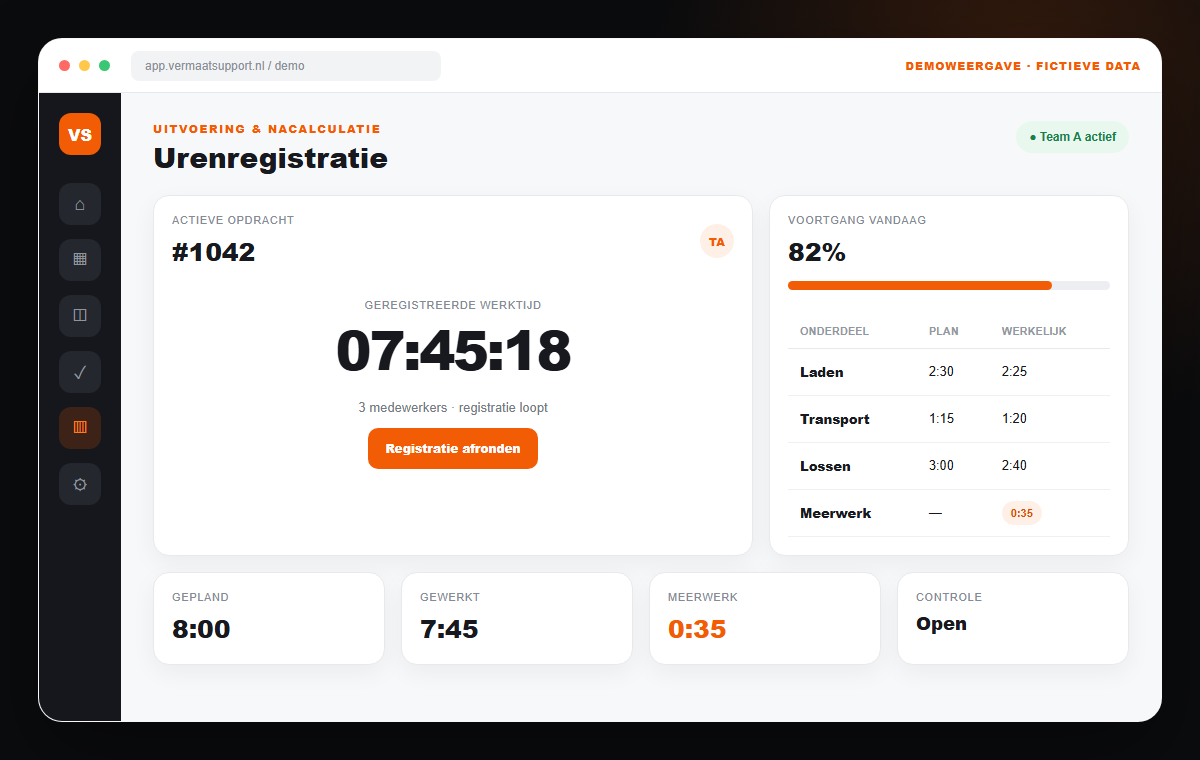
The real margin of a move becomes visible only when planned capacity, actual hours and extras sit on the same job. Mobile tracking makes that feedback simple and auditable.
The operational problem
A timesheet is not operational feedback
Separate sheets and messages say too little: which job do the hours belong to, why did it overrun and was the extra work confirmed? Missing context delays control and invoicing.
01
Hours arrive late
Administration waits days for complete entries before preparing an invoice.
02
Extras disappear
Additional labour or equipment remains in a chat message and is not billed consistently.
03
No comparison
Estimate and actuals remain separate, so recurring deviations are not learned from.
04
Disputes afterwards
Without timestamps, job context and approval it is hard to reconstruct delivery.
The connected solution
Record delivery where the work happens
Crews record on mobile against the correct job. A responsible person reviews deviations; approved time and extras can then feed job costing, payroll preparation and invoicing. This creates a faster administrative process and useful evidence about which types of moves consistently require more labour than originally estimated.
Mobile start and stop
Record work against the correct job with minimal interaction.
Break and travel time
Separate relevant time types according to company rules.
Capture extras
Attach description, quantity and appropriate evidence directly to the move.
Approval workflow
Let a planner or manager review deviations before data continues.
Job costing
Compare estimated and actual effort by job type and improve future estimates.
Invoice connection
Use approved billable effort without re-entering the same information.
How the workflow changes
Information moves with the job
- 01
Open job
The employee selects the assigned move with the right context.
- 02
Record delivery
Hours, breaks, exceptions and extras are captured on mobile.
- 03
Review deviation
A responsible person checks what differs from schedule or quote.
- 04
Process financially
Approved data feeds job costing and, where relevant, invoicing.
Frequently asked questions
Practical answers before you decide
- Can employees see only their own jobs?
- Yes. Roles, scheduling and permissions determine which jobs and information are available.
- Can extras be connected to the customer invoice?
- Yes, after an agreed review. The system can distinguish internal time, billable effort and additional items.
- Does this automatically replace payroll?
- Not without process rules. Approved hours can feed payroll preparation, but contract hours, premiums and corrections require controlled configuration.
How many hours and extras reach administration too late?
We follow one job from schedule to invoice and pinpoint where delivery information gets stuck.
Book a growth scanRelated workflows
Continue improving the operation
Scheduling for moving companies
Schedule crews, vehicles, equipment and moves from one live overview, connected to quotes, time tracking and invoicing.
ExploreQuote software for moving companies
Create consistent moving quotes faster from survey data and let acceptance flow directly into scheduling, the customer portal and invoicing.
ExploreCustomer portal for moving companies
Give moving customers one secure place for acceptance, scheduling, documents, status and communication, connected to your operation.
Explore