Replacing spreadsheets in a moving company
The spreadsheet is not the problem; everything growing around it is
A spreadsheet is excellent for getting started. It becomes risky when multiple employees, customer commitments, vehicles and financial outcomes depend on cells, copies and ungoverned knowledge.
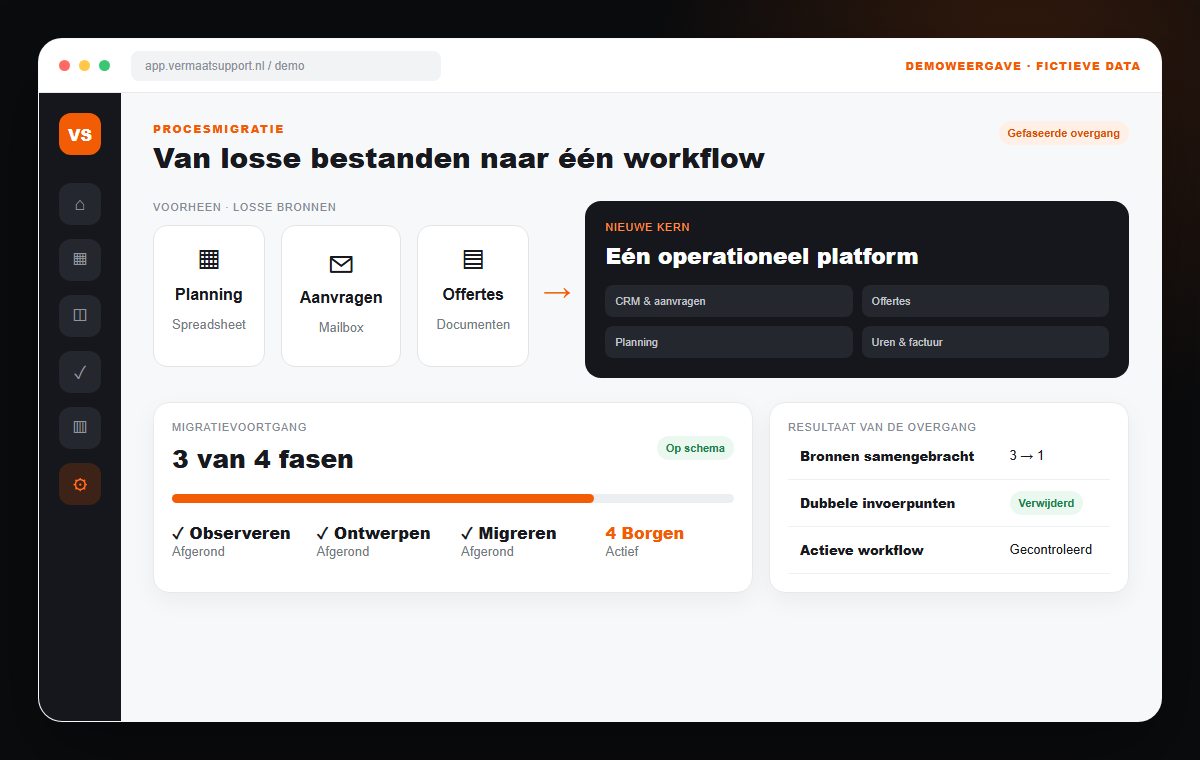
The operational problem
Five signs you have reached the limit
The move is not justified by wanting to look modern. It becomes sensible when the operational cost and risk of the current method exceed those of a controlled system.
01
One file owner
When the planner is absent, nobody can safely explain which version or formula is authoritative.
02
Constant copying
The same names, addresses and job details appear in planning, quotes, email and invoices.
03
Changes without history
It is unclear who changed capacity, dates or commitments and why.
04
No customer connection
The schedule does not know which quote, documents and communication belong to a row.
05
Reporting afterwards
Management information requires reconstruction rather than current operational data.
The connected solution
Migrate the process, not just the spreadsheet
Successful replacement does not begin by rebuilding every column. We identify the decisions the spreadsheet supports, the reliable data and the handovers the new workflow should remove.
Process inventory
Map enquiries, quotes, scheduling, delivery and finance as one chain.
Data quality
Separate reusable master data from old, duplicate or unreliable records.
Phased transition
Start with one workflow and a clear cut-over date instead of running two systems indefinitely.
Roles and ownership
Define who may change, review and finalise information.
Training on real work
Train employees with recognisable jobs and exceptions from their own operation.
Measurable adoption
Verify that the new process is used and actually reduces recovery work.
How the workflow changes
Information moves with the job
- 01
Observe
Follow one real job through files, inboxes and people.
- 02
Design
Choose the smallest new workflow that removes the largest risk.
- 03
Migrate
Clean data and move active information in a controlled way.
- 04
Embed
Measure usage, exceptions and outcomes after launch.
Frequently asked questions
Practical answers before you decide
- Must all historical spreadsheet data be migrated?
- Usually not. We determine which active and legally required information is needed, which history must remain accessible and which pollution should not be carried forward.
- Can we switch without downtime?
- Yes, with a phased plan, clear cut-over and controlled import. Process owners do need to invest time in testing and decisions.
- Will the new system work exactly like the spreadsheet?
- Not automatically. We preserve valuable business logic but avoid rebuilding workarounds that cause duplicated work or risk.
Is your spreadsheet still useful, or already business-critical?
We follow one job through your current files and honestly advise whether to optimise, connect or replace.
Book a growth scanRelated workflows
Continue improving the operation
Scheduling for moving companies
Schedule crews, vehicles, equipment and moves from one live overview, connected to quotes, time tracking and invoicing.
ExploreQuote software for moving companies
Create consistent moving quotes faster from survey data and let acceptance flow directly into scheduling, the customer portal and invoicing.
ExploreCustomer portal for moving companies
Give moving customers one secure place for acceptance, scheduling, documents, status and communication, connected to your operation.
Explore